In 2026, assuming your network is secure because you bought the “best” tools is no longer a viable strategy. The attack surface has mutated rapidly; identity is the new perimeter, and AI-driven threats can execute in minutes.
The real challenge isn’t acquiring security controls (Firewalls, EDR, SIEM); it’s verifying that they are configured correctly and operating effectively. This concept—constantly testing your defenses against real-world adversarial behavior—is called Breach and Attack Simulation (BAS).
Today, we are diving deep into one of the industry’s premier BAS platforms: Keysight Threat Simulator, and outlining how you can extract measurable value from the platform in your very first day of deployment.
The Core of the Matter: What is Keysight Threat Simulator?
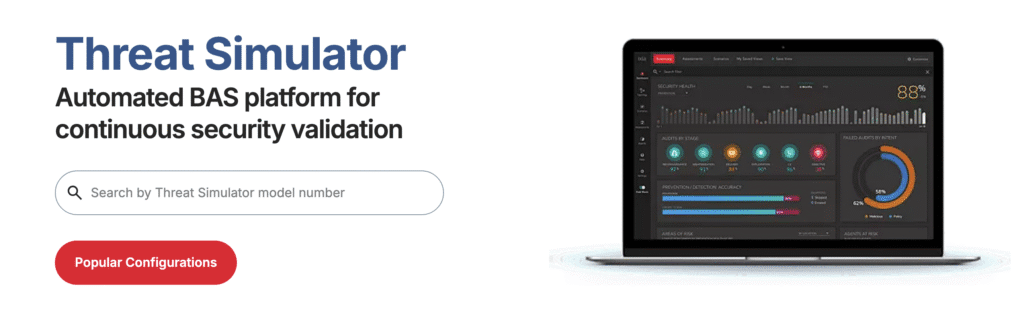
Keysight Threat Simulator is a safe, scalable, and continuous Breach and Attack Simulation platform. Its primary purpose is to eliminate security assumptions by proactively validating your entire security stack against a library of thousands of simulated attacks.
Unlike a static penetration test that provides a snapshot in time, Threat Simulator provides continuous visibility. It uses software agents (probes) deployed safely in your production environment—behind your firewalls, on endpoints, and in the cloud. These agents communicate with each other and Keysight’s “Dark Cloud” to emulate complete attack chains, without using real malware or compromising actual user data.
By running these controlled simulations, you achieve three critical goals:
- Identify Misconfigurations: Discover where a firewall rule drift or an outdated EDR policy is failing to block known threats.
- Validate Logging & Alerting: Ensure that when a control does block an attack, your SIEM actually receives the alert. Many organizations have blocking power but are functionally blind.
- Prioritize Remediation: Stop guessing what to fix first. Threat Simulator prioritizes gaps based on real-world risk and provides specific, vendor-agnostic remediation steps (like Snort rules or policy changes).
Adding Value in the First 24 Hours: A Phase-by-Phase Guide
The biggest mistake new BAS users make is trying to test everything at once. This leads to alert fatigue and data overload. The goal for your first 24 hours is foundational validation: ensure the agents are deployed, integrated, and that basic security communication is happening.
Here is your Day 1 playbook:
Phase 1: The Baseline (Hours 1–4)
Objective: Verify that the infrastructure is ready and your controls can execute fundamental blocking.
- Deployment: Deploy at least two agents: one in a “Protected” zone (trusted internal network) and one “Unprotected” (DMZ or outside).
- The “Sanity Check” Audit: Run a simple, low-risk audit, such as a clear-text transfer of the EICAR test file over HTTP.
- The Question: Did my perimeter firewall/IPS block the download? In the Threat Simulator dashboard, this test must show as “Blocked.” This confirms the fundamental blocking loop is intact.
Phase 2: The Visibility Audit (Hours 5–12)
Objective: Test your detection logic and logging pipeline. Does your SOC actually see the attack?
- Integrate Your SIEM/EDR: Connect Threat Simulator to your central logging platform (Sentinel, Splunk, CrowdStrike, etc.) via API.
- The Lateral Movement Test: Simulate a common internal technique, like an SMB brute-force or internal port scan, between your two agents.
- The Analysis: This is the most critical check. Ignore the Threat Simulator dashboard for a moment. Open your SIEM. Did a corresponding alert fire within 5–10 minutes?
- If Keysight says “Blocked” but your SIEM shows “No Alert Found,” you have a serious Visibility Gap. You must verify your logging configuration.
Phase 3: Targeted Testing (Hours 13–24)
Objective: Move beyond basic validation and test against a modern, relevant adversarial technique.
- Select a MITRE Audit: Choose a technique relevant to the 2026 threat landscape, such as T1059.001 (PowerShell Execution).
- Run the Audit: Keysight will attempt to execute obfuscated PowerShell scripts that mimic ransomware behavior.
- Remediate and Re-Test: If it fails (attack succeeds), review the generated Remediation Report. Apply the suggested rule change on one test machine. Immediately re-run the same audit. You have now found, fixed, and verified a gap in a single day.
The Takeaway: 2026 Priority Testing Cheat Sheet
Not all MITRE techniques are created equal. As we move deeper into 2026, attackers are focusing on identity theft and bypassing behavior-based detection. When you are ready to move past Day 1, prioritize these five areas within your simulator:
| Technique ID | Attack Name | Why It’s Critical in 2026 |
| T1055 | Process Injection | Continues to be the #1 evasion technique, used to hide malicious activity inside legitimate processes. |
| T1059.001 | PowerShell | Attackers are now using highly specialized, automated PS1Bots that employ complex encryption to bypass traditional inspection. |
| T1078.004 | Valid Cloud Accounts | Identity is the new perimeter. Testing UEBA (User Behavior) to catch impossible travel or token theft is mandatory. |
| T1562.001 | Impair Defenses | This is the “First Move” in major attacks. You must test if your system alerts when an attacker attempts to stop your EDR service. |
| T1071.001 | Web Protocols (C2) | Attackers are “Living off the Cloud,” hiding Command & Control heartbeats within legitimate API calls to providers like Microsoft or OpenAI. |
Looking Beyond Day 1: BAS as a Long-Term Strategy
The true power of Keysight Threat Simulator is realized when it moves from an ad-hoc testing tool to a continuous, structured program.
BAS is not just for security validation; it is a critical tool for long-term security posture management and compliance.
- Continuous Posture Validation: Integrate Threat Simulator into your CI/CD pipelines or network change windows. Every time a new firewall rule is pushed or an endpoint image is updated, an automated BAS audit should trigger. This ensures that environmental changes do not accidentally introduce “security drift” or reopen old holes.
- Mapping to Compliance Frameworks: Many regulatory frameworks (ISO 27001, NIST 800-53, PCI DSS 4.0) mandate regular security testing and validation. BAS allows you to generate continuous compliance reports, mapping your test results directly to specific controls within those frameworks. This shifts compliance from an annual, painful audit to a continuous state of readiness.
- Red Teaming At Scale: Your expensive, human Red Teams should not be wasting time testing basic Snort rules. Use Threat Simulator to handle the 90% volume of known attack behaviors (testing your “Hygiene”). This frees your human analysts to focus 100% of their time on highly complex, custom adversary emulation.
By integrating Keysight Threat Simulator into your continuous operations, you stop managing security based on the tools you bought and start managing it based on the behaviors you are proven to stop.
Are you ready to move from assumption to validation? Contact Telnet Networks today to discuss how Keysight Threat Simulator can revolutionize your continuous security testing strategy.