
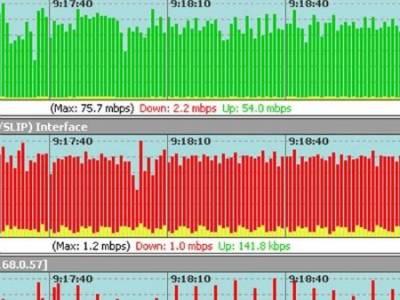
Network administrators can streamline the troubleshooting process by deploying automated monitoring systems.
With automated monitoring in place, admins can get early warnings about emerging problems and address them before the adverse effects continue for too long. In addition, automated monitoring can help maintain up to date information about network configuration and devices on the network that can be essential for diagnosing network performance problems.
An automated network monitoring regime requires a combination of tools along with policies and procedures for utilizing those tools.
Network hardware vendors and third party software vendors offer a wide range of tools for network management. Here are some tips for identifying the right tool, or set of tools, for your needs.
The first step in setting up automated monitoring system is having an accurate inventory of devices on your network. A key requirement for just about any automated network tool set is automated discovery of IP addressable devices. This includes network hardware, like switches and routers, as well as servers and client devices.
Another valuable feature is the ability to discover network topology. If you cringe every time someone erases your network diagram from the whiteboard, it’s probably time to get a topology mapping tool. Topology discovery may be included with your device discovery tool but not necessarily.
Device and topology discovery tools provide a baseline of information about the structure of your network. These tools can be run at regular intervals to detect changes and update the device database and topology diagrams. As a side benefit, this data can be useful for compliance reporting as well.
Once you have an inventory of devices on your network, you will need to collect data on the state of those devices. Although IT organizations often separate network administration and server administration duties, it is often helpful to have performance data on servers and the network.
The Simple Network Management Protocol (SNMP) and the Windows Management Instrumentation (WMI) protocols are designed to collect such device data. Network performance monitoring tools can be configured to poll network devices and collect data on availability, latency and traffic volumes using SNMP. WMI is a Microsoft protocol designed to allow monitoring programs to query Windows operating systems about the state of a system. Network performance monitoring tools can collect, consolidate and correlate network and server information from multiple devices.
In addition to monitoring the state of servers, some tools support running Powershell monitoring and action scripts for Windows devices and SSH support for administering Linux servers.
Thanks to Tom’s IT Pro for the article.